
From ped files to a finished FiveM ped. Right in your browser.
Add clothing, change colours and export to your server. No 3ds Max, no converting and nothing to learn first.
- 30 free credits when you sign in
- Your files never leave your computer
- No account needed to start
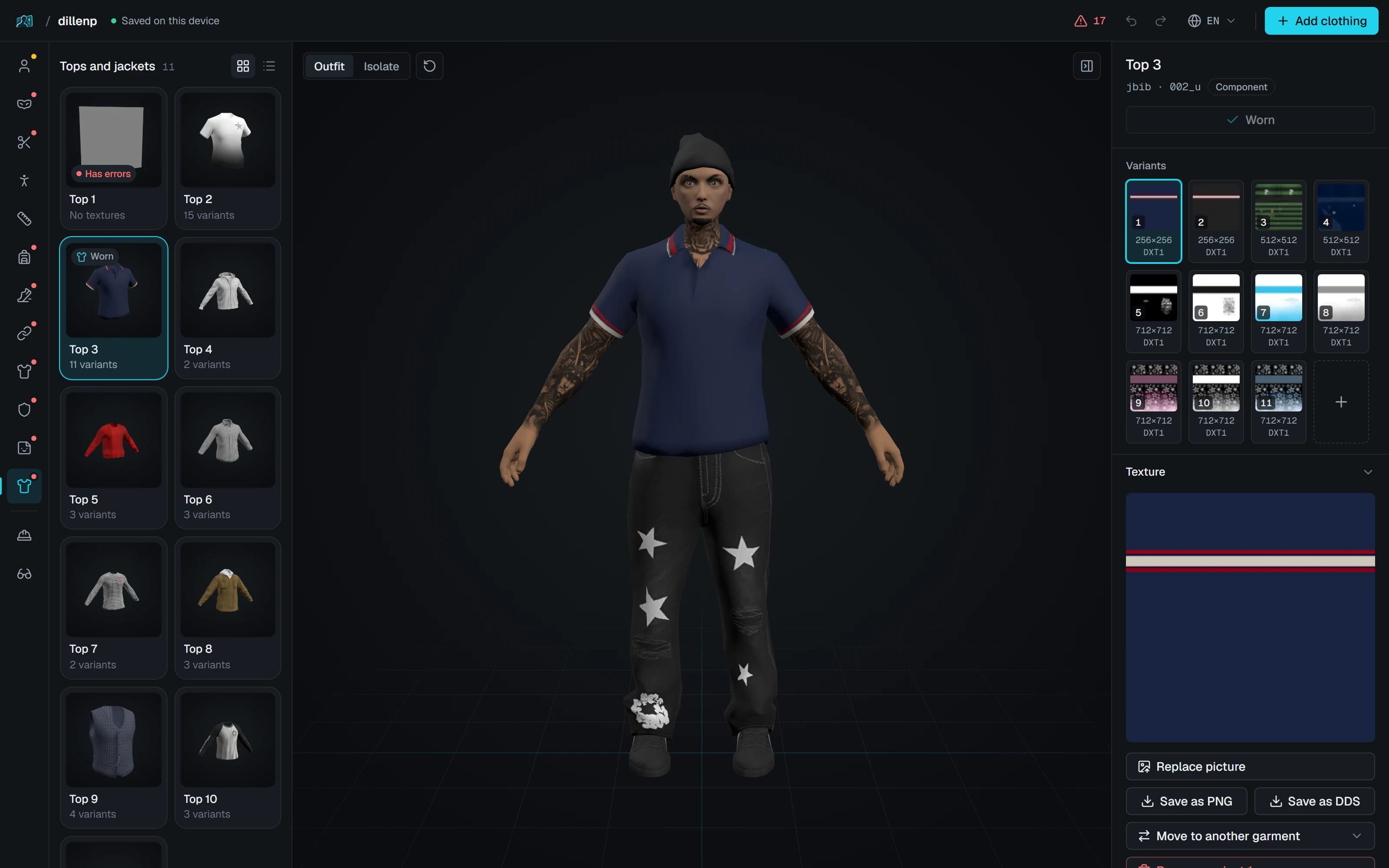
Dressing a ped used to take a whole toolchain
Before
- 3ds Max or Blender, set up to export GTA models
- CodeWalker to find and pack the files
- The YMT file edited by hand
- Every garment numbered in the right order
- Textures converted to the right format
- Guessing whether it works until the server starts
With PedForge
- Open the ped’s folder in your browser
- Add, recolour and fix, with every change checked as you go
- Export a resource that is ready to start
What took an evening now takes a few minutes.
Three steps from folder to server
Open, customise, export. Choose a step to see it in the editor.
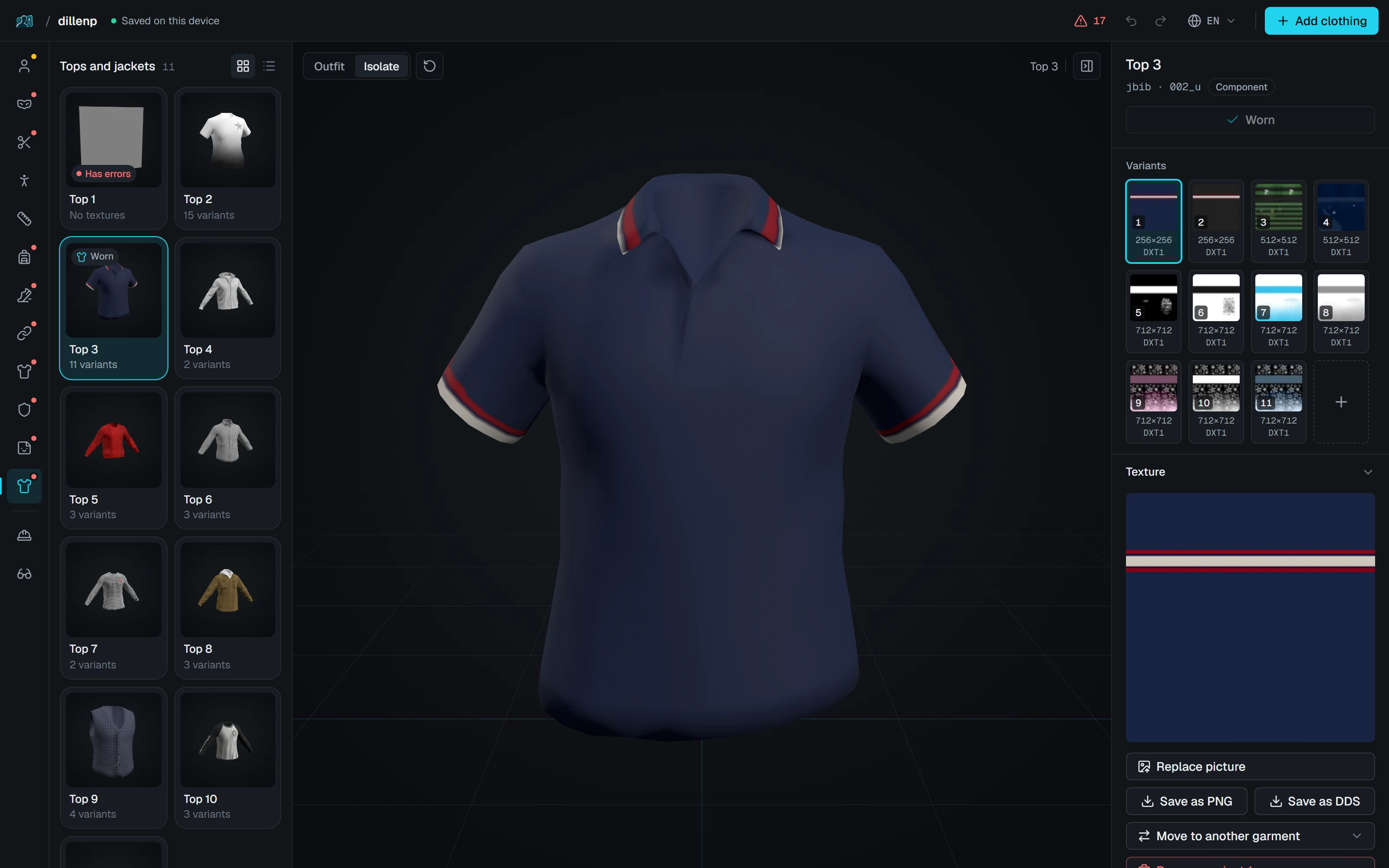
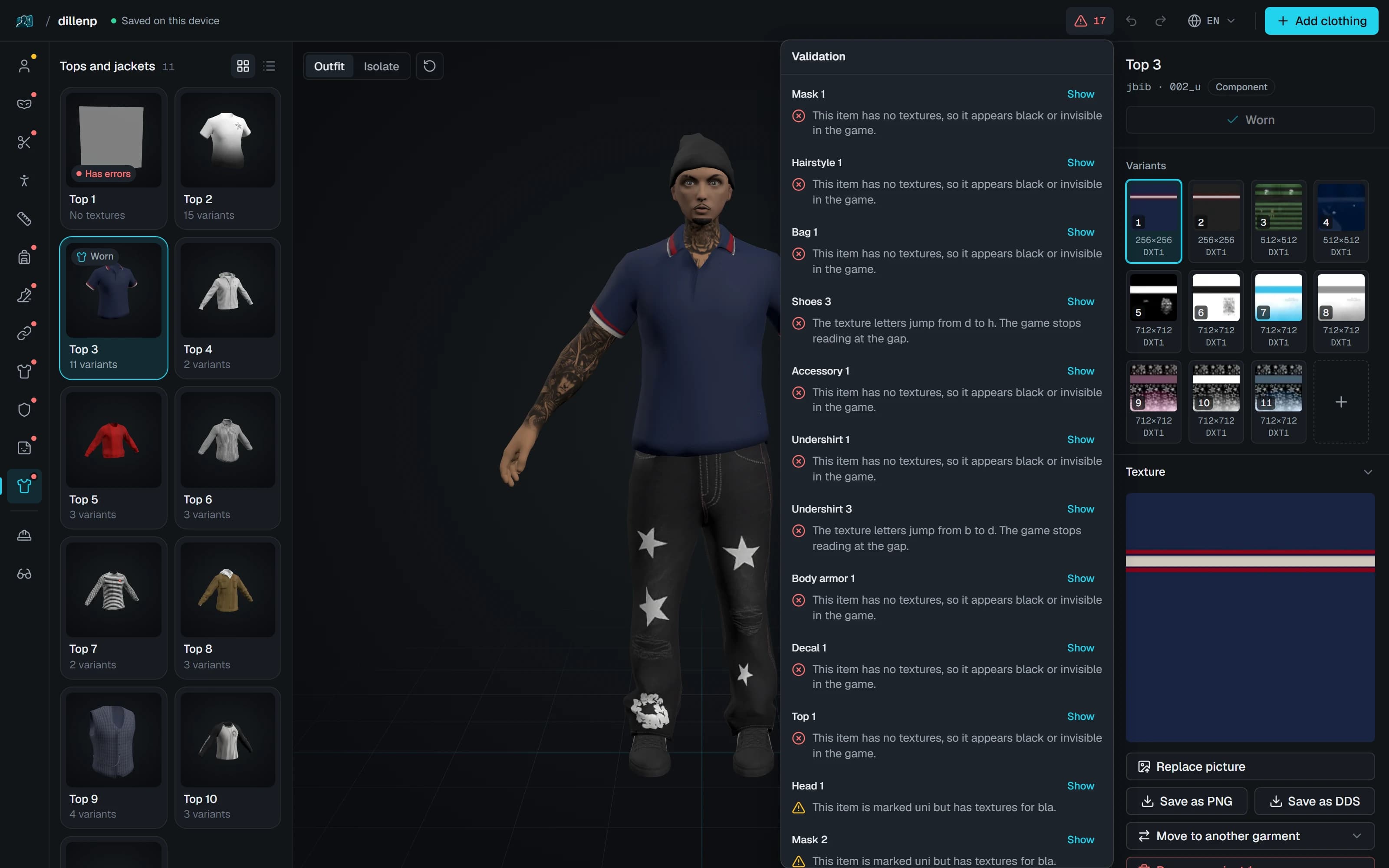
No 3ds Max. No converting. Just your ped, in the browser.
Everything a ped needs, in one editor
Each of these is a panel in the editor today.
Add clothing from anywhere
Take garments from the GTA catalogue, from their own files or straight off another ped. PedForge numbers them and fits them to your ped’s skeleton.
Hair in new colours
Pick from 15 colours or mix your own, see each one on the ped, and make a variant of every colour you tick.
Tattoos where you want them
Click the ped to place a design, then drag, turn and resize it until it sits right.
Face and skin
Shape the nose, jaw and cheekbones with sliders, and set skin tone, eyes and beard.
Under your server’s limit
Enter your server’s size limit and PedForge suggests what to shrink, like halving large textures, until the ped fits.
Problems found early
Numbering gaps, missing textures and oversized files are explained in plain words before you export.
3D straight away
Turn the ped, and look at the whole outfit or at one garment on its own.
Your files stay with you
PedForge edits your ped in the browser. Models and textures never reach our server.
Built for FiveM
PedForge reads and writes GTA V’s own ped formats, so nothing needs converting.
- .ydd
- .ytd
- .ymt
- .yft
A resource ready to start
Export gives you a folder named after the ped, with fxmanifest.lua, peds.meta and the stream files. Put it in resources and ensure it.
Works in your browser
Chrome, Edge, Firefox and Safari. Chrome and Edge open a whole folder in one step.
- dillenp/
- fxmanifest.lua
- peds.meta
- stream/
- dillenp.ydd
- dillenp.ytd
- dillenp.ymt
- dillenp.yft
Pay only for what you add
Editing is free. A new garment costs 10 credits, charged only when an export succeeds.
Starter
€9.90200 creditsBuilder
Most popular€24.90600 creditsPro
€74.902000 credits
30 free credits when you sign in with Discord, and 50 more when you verify.
See all pricesCommon questions
Open your first ped
Choose its folder and see every garment in 3D. Opening and editing are free, and your files stay with you.